
Build an AI workout program
Connect an AI assistant to Two Plates and have it build a strength training program around your schedule and gym equipment. Save it to Two Plates, then follow it on your iPhone.
From a chat to a program you can train with
- Set up your gym and equipment in Two Plates.
- Connect your AI assistant and share your training setup.
- Tell the assistant how often you can train, how much time you have, and which lifts you want to focus on.
- Review the program in chat and ask the assistant to save it. In the Two Plates Library, open the program and make it active.
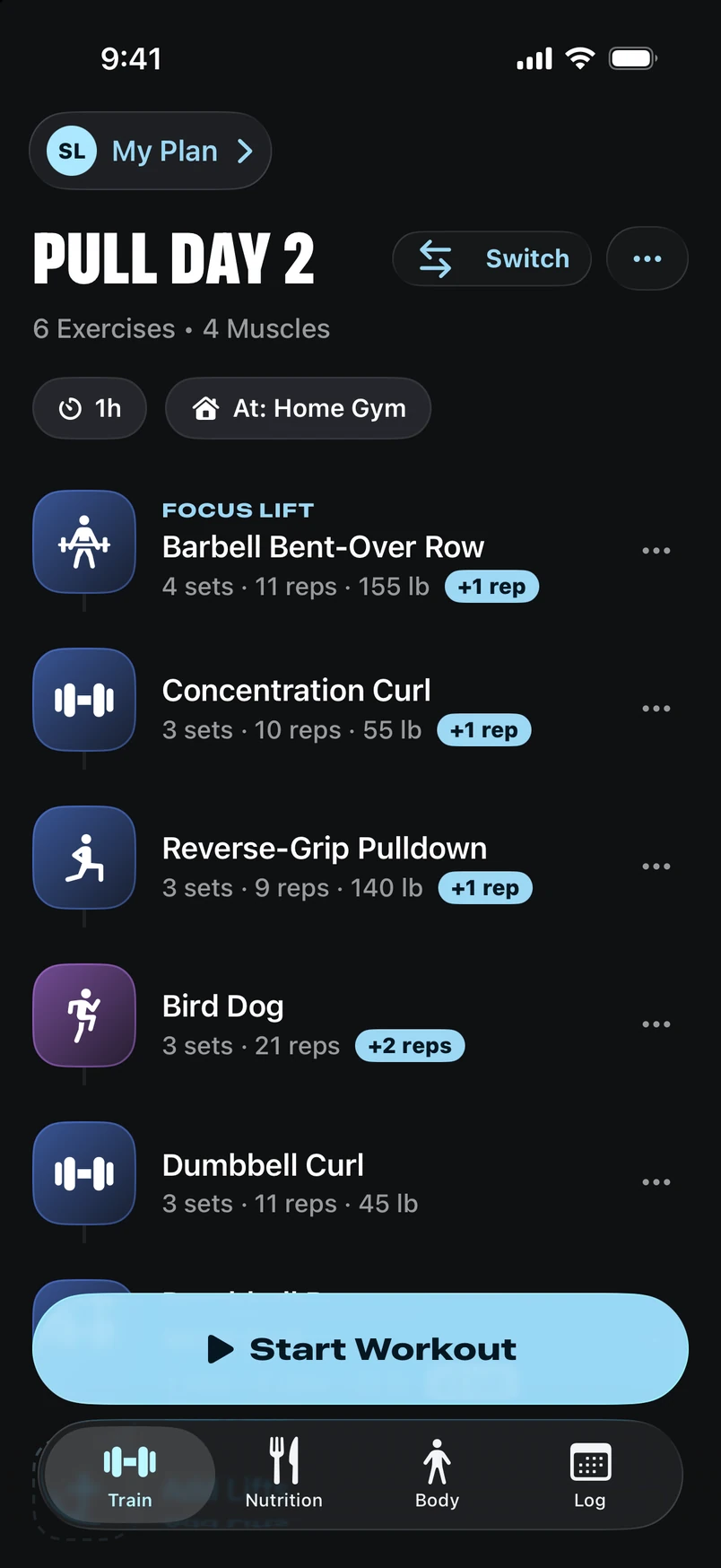
- Open Train to follow the program and log your sets.
Saving a program requires a connector that can write to Two Plates.
Try a workout prompt
Build a four-week strength program for three 45-minute sessions a week. Use the equipment in my home gym and show me the plan before saving it to Two Plates.
What can the assistant use to build my plan?
Setup only shares your training preferences, gyms, saved workouts, and programs. Setup + strength adds estimated maxes, and Full training log adds your completed workouts. See what each access level shares.
Can I generate a workout on my iPhone?
Yes. Two Plates can generate each day’s workout from your split, available equipment, and lifting history on your iPhone. You can also follow or edit a saved program. Both options work without a connected AI assistant.